
The Small Shop Payment Lane That Keeps Cash, Card, and Mobile Orders From Colliding
A small shop can reduce payment confusion by keeping one record for every sale, using a simple end of day check, and treating preorders as part of the same lane.
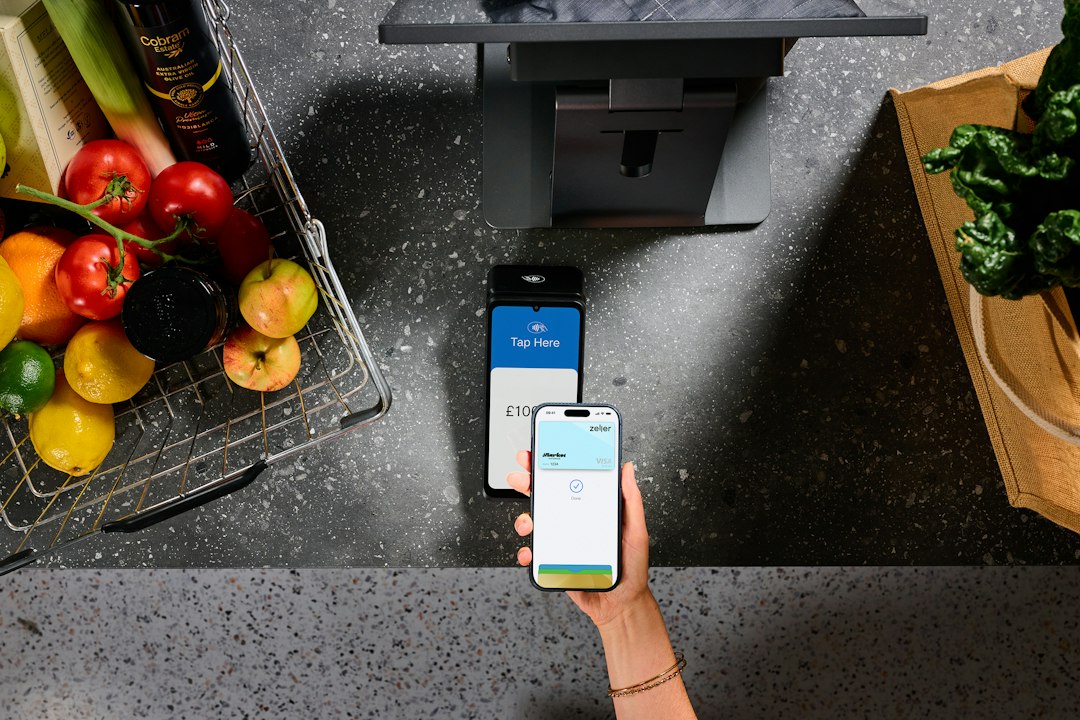
A small shop can run a busy day without turning the counter into a guessing game. The easiest way to do that is to keep one place where every sale is recorded, whether the customer pays by cash, card, mobile wallet, or a simple order placed at the door. When the register is the only place that knows the amount, the owner can answer questions about the day without checking three notebooks, a phone, and a drawer. This also makes it easier to compare what was sold with what was expected to be in the drawer. The goal is not to add more screens or more steps. The goal is to make the payment lane clear enough that a part-time worker can finish a sale without asking the owner to remember a number.
The first practical step is to decide what counts as a sale. A sale can be a card tap, a cash count, a mobile payment, or a preordered item that is picked up later. If the shop already uses a register, the register should be the place where each of those events is entered. If the shop uses a notebook, the notebook should have one line per sale and one line per payment method. The important part is consistency. A worker should not need to choose between writing the amount on a receipt, typing it into a phone, and counting the drawer. One action should be enough. That does not mean the shop must buy a new system. It means the current system needs a simple rule: every customer transaction gets one record, and that record is the one used at the end of the day.
A common problem is that the payment lane becomes a second job. The owner may need to explain the total, check the change, confirm the card, and answer a question about a delivery. If each of those tasks is separate, the worker can lose track of the customer or the amount. A useful fix is to make the register the first thing the worker sees. The screen should show the item, the price, and the payment method. If the shop sells a few common items, those items can be listed in a short menu so the worker does not have to type a long name. If the shop sells custom work, the worker can still enter the amount, but the record should be simple enough to review later. The point is to reduce the number of decisions at the counter. Fewer decisions means fewer mistakes, and fewer mistakes means less time spent sorting out the day.
The drawer needs a simple end of day check. At the close, the owner should compare the cash in the drawer with the cash sales recorded in the register. If the shop also takes card payments, the card total should be compared with the card processor report. If the shop takes mobile payments, the mobile total should be compared with the mobile app or bank statement. The comparison does not need to be long. It only needs to be done at the same time each day. A short note can record the expected cash, the counted cash, and the difference. If the difference is small, the owner can note the likely cause, such as a rounding error or a missed entry. If the difference is large, the owner can look at the last few sales before the count. This routine gives the shop a place to find problems without turning every close into a search.
A small shop also needs a clear rule for preorders and pickups. A customer may pay before the item is ready, or the shop may take a deposit and ask for the rest later. If the payment is not recorded at the time it is made, the shop can lose track of who paid, what was paid, and what is still owed. The simplest method is to write the customer name, the item, the amount paid, and the amount still due on one line. If the shop uses a register, the preorder can be entered as a sale with a note that the item is not ready. If the shop uses a notebook, the same line can be used. When the customer picks up the item, the worker can mark the line as complete. This keeps the payment lane from becoming a list of promises. It also gives the owner a quick answer when a customer asks whether the item is ready or whether the balance is still open.
The limits of this approach are important. A single record does not replace a bank, a card processor, or a tax professional. It does not also solve a problem caused by a broken terminal, a missing receipt, or a customer who pays with a different method than expected. The shop still needs a backup plan for those moments. If the register is down, the worker can use a paper list with the same fields: item, amount, payment method, and time. If the card terminal is down, the worker can note the card number or the last four digits if the customer gives them, and the owner can match the report later. The point is not to make the system perfect. The point is to make the system easy to repair when something goes wrong.
A useful recommendation for a small shop is to start with one change, not a full rebuild. Pick the place where sales are already recorded and make sure every payment method goes into that same place. Add a short end of day check that compares cash, card, and mobile totals. Add one line for preorders so pickups are not lost. If the shop already has a register, use it. If the shop already has a notebook, use it. If the shop already has a phone app, use it. The best payment lane is the one the team can use without extra training, without extra paper, and without extra memory. When the lane is clear, the owner can spend less time counting and more time serving the customer.